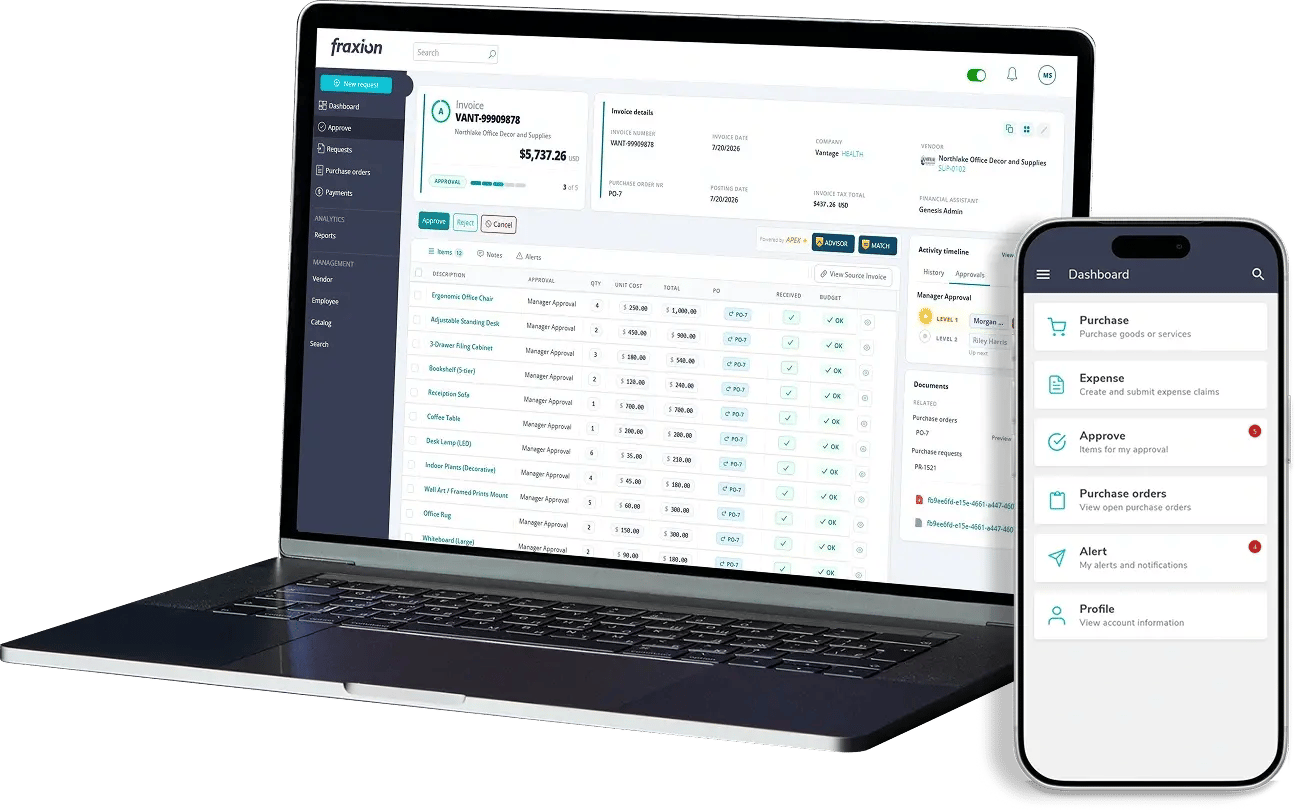
AI invoice processing is the use of artificial intelligence (AI) within an accounts payable workflow to assist with tasks that involve interpretation or assessment, such as reviewing extracted invoice data, suggesting coding, supporting matching, identifying risk and exceptions, and making recommendations. The AI supports the finance team rather than replacing it: people review flagged items, resolve exceptions, approve invoices and remain accountable for the decisions.
Digitizing an invoice turns a paper or PDF document into something a system can store. Automating it moves that invoice through defined steps. AI invoice processing adds a third element: support for tasks that require interpretation, such as extracting data from varied invoice formats, recommending account codes, and flagging potential discrepancies for review.
That raises an important question for finance leaders: when AI helps assess invoices, how much control does the finance team retain? This article examines how AI fits into the invoice workflow, what it can support, where human oversight remains essential, and what to look for in invoice processing software to ensure decisions and accountability remain with your team.
What is AI invoice processing?
Three terms are often used interchangeably, but they have distinct meanings:
- Invoice processing covers the steps involved in handling invoices, from intake and data capture to coding, matching, approval, and preparation for payment.
- AP automation uses software to handle routine invoice processing tasks through a structured workflow, applying defined rules such as routing invoices above a specified amount to the appropriate approver.
- AI-assisted invoice processing supports tasks that require interpretation or assessment, such as recommending coding, flagging exceptions, identifying potential vendor risks, and highlighting items that may require further review.
Not all invoice automation relies on AI. Much of AP automation uses defined rules and workflows, which are often sufficient for routine processing. AI adds value where tasks require greater interpretation, such as extracting data from varied invoice formats, recommending account codes, identifying potential vendor risks, and flagging discrepancies that require further assessment. Human oversight remains essential for reviewing exceptions and making final decisions.
How AI fits into the invoice processing workflow
AI doesn't have the same role at every stage of the invoice workflow. At some stages, rules and people do all the work; at others, AI can assist:
| Stage |
Automation can do |
AI can assist with |
Finance team remains responsible for |
| Invoice intake |
Bring invoices into one work center |
- |
Ensuring invoices are received through the appropriate channels |
| Data extraction and review |
Capture invoice details into structured fields |
Extract data from varied invoice layouts and flag fields with low confidence or potential errors for review |
Review flagged or uncertain data and correct errors before the invoice proceeds |
| Coding |
Apply coding based on predefined rules, purchase orders or supplier defaults |
Suggest coding with a confidence level, based on past transactions |
Confirming coding where judgment is needed |
| Purchase order matching |
Compare invoice details against the purchase order and goods receipt, based on defined matching rules and tolerances |
Identify and flag discrepancies, such as differences in quantities, prices, or line items, that may need attention |
Reviewing exceptions and deciding how discrepancies should be resolved |
| Risk and exception identification |
Flag invoices that fail defined checks |
Assessing risk, identifying potential exceptions and making recommendations |
Investigating and resolving exceptions |
| Approval |
Route invoices to the appropriate approver based on predefined rules and approval hierarchies |
Highlight relevant information, risk indicators, and exceptions to support the approver’s review |
Reviewing the invoice and making the final approval decision |
| Payment |
Pass approved invoices to the payment process |
- |
Authorizing payment within the organization's controls |
| Audit trail and reporting |
Record actions and approvals as they happen |
- |
Reviewing the records and maintaining controls |
The table describes AI’s role in general terms, although specific capabilities depend on the software. A dash indicates that a stage is typically handled through rules-based automation and human oversight rather than AI. The overall principle is consistent: automation handles defined tasks, AI assists with assessment where needed, and the finance team retains responsibility for decisions.
AI vs traditional AP automation
Traditional AP automation follows defined rules. It routes invoices, applies established logic and reduces repetitive manual work, and it behaves predictably: it applies the same defined logic consistently when the relevant conditions are met. That predictability is valuable, and AI doesn't make it obsolete.
AI adds value where predefined rules reach their limits. It can interpret invoice data, recommend coding based on historical transactions, identify unusual patterns or potential vendor risks, and flag exceptions that warrant closer review. It is particularly useful when invoices fall outside established rules or require additional assessment, helping finance teams focus their attention where it matters most while keeping final decisions in their hands.
The finance team's role sits across both: people review uncertain items, confirm coding where judgment is needed, resolve exceptions, make approval decisions and retain accountability.
What AI can help with in invoice processing
The capabilities below describe what AI can generally assist with in invoice processing. What is available depends on the software and how it is configured; Fraxion's own capabilities are covered later in this article.
Invoice data extraction and review
AI can extract key information from invoices, including supplier details, invoice numbers, dates, line items, tax, and totals. By interpreting different invoice layouts and identifying relevant fields, it can reduce reliance on manual data entry and help improve extraction accuracy from the start. Depending on the software, confidence scores and exception flags can highlight information that may be incomplete or require verification. Your team remains responsible for reviewing uncertain data and correcting errors before the invoice proceeds.
Invoice coding
For routine invoices, historical data, predefined coding rules and supplier defaults often determine the appropriate codes. Depending on the software, AI can recommend coding when existing rules do not apply, giving reviewers a suggested starting point rather than requiring them to assign codes from scratch. The finance team reviews and confirms or corrects the recommendations.
Invoice matching
Matching compares an invoice with its purchase order, and often with a record of goods or services received. It is a separate process from coding: coding determines how an invoice cost is classified and allocated to the appropriate account, while matching verifies that invoice details align with the corresponding purchase order and goods received. Depending on the software, AI can assist by helping identify discrepancies that need attention but deciding whether a difference is acceptable stays with the team.
Risk and exception identification
Some invoices need attention for reasons that aren’t obvious from a simple rule. Where the software supports it, AI can assist with risk assessment and help identify potential exceptions, such as unusual invoice amounts, variation in what a supplier typically invoices, or changes in how often they invoice. These indicators can help bring invoices to the right people sooner. Identifying an invoice that needs attention is not the same as resolving it. Finance teams must review the findings, investigate discrepancies, and decide how to proceed.
Recommendations
Depending on the software, AI can make recommendations, such as suggesting what to review or how an item might be handled. These recommendations are decision support: they inform the finance team’s decision but don’t make it.
What AI should not replace
AI invoice processing does not mean handing financial accountability to an algorithm. Even with AI assistance, finance teams still need to:
-
Review information the system is uncertain about
-
Resolve exceptions and investigate discrepancies
-
Confirm coding where judgment is required
-
Handle unusual invoices and situations that fall outside normal patterns
-
Make approval decisions
-
Remain accountable for financial records and controls
These are not gaps in the technology so much as the parts of AP that depend on context, policy, and responsibility. They are where finance expertise matters most, and a good AI approach takes on the routine work so finance teams have more time for them.
How exceptions work with AI invoice processing
The most important distinction in AI invoice processing is between identifying an issue and resolving it. AI can help flag what needs attention; the finance team decides what happens next.
Issues that might be brought to the team's attention include:
-
Invoice information that is unclear or uncertain
-
Coding where suggestions are low-confidence or none fit
-
Invoice details that don't match the purchase order
-
Spend that looks unusual for the supplier or category
-
Missing information
-
Potential risk indicators, such as vendor concerns that warrant a closer look
- Possible duplicate invoices
In each case, a person investigates, decides whether the invoice should proceed, be queried, or be rejected, and the invoice continues accordingly. The benefit of AI here is not that exceptions disappear. It is that reviewers can see which invoices need attention, and why, with the context they need to decide.
AI-assisted vs manual invoice processing
Manual invoice processing can be effective at lower volumes, particularly when experienced staff manage the workload. The comparison below highlights where AI can support invoice processing, reduce manual effort, and help finance teams manage exceptions.
| Area |
Manual processing |
AI-assisted processing |
| Data review |
Invoice details are reviewed and checked manually |
Review focuses on extracted data that is flagged as uncertain or requires verification |
| Coding |
Account codes are selected and entered manually
|
AI can recommend codes, each with a confidence level. Finance reviews and confirms or corrects the suggestions |
| Matching |
Documents compared side by side |
Discrepancies between invoice details, purchase orders, and goods receipts are flagged for review |
| Exceptions |
Issues are identified through manual checks and may be discovered later in the process |
Potential exceptions are flagged during processing for further investigation |
| Repetitive work |
Handled by the team for every invoice |
Routine tasks are automated where supported, reducing manual effort |
| Human judgment |
Applied throughout |
Focused on exceptions, recommendations, and decisions that require review |
| Accountability |
With the finance team |
With the finance team |
What to look for in AI invoice processing software
When assessing AI invoice processing software, the question is not just what the AI can do, but how it fits into a controlled workflow. Useful criteria include:
-
Clear human oversight: can the team review, confirm and override what the AI suggests?
-
Configurable rules and workflows: can routing and approval rules reflect how your organization works?
-
Invoice data extraction and review: how are uncertain values shown to reviewers?
-
Coding support: are suggestions easy to confirm or correct?
-
PO matching: how does it handle matching against purchase orders and receipt information?
-
Exception management: how are exceptions flagged and how does the team work through them?
-
Risk assessment: how does the software help identify invoices that need a closer look?
-
Audit trail: is it clear who confirmed, changed or approved what, and when?
-
Approval controls: do approvals stay with authorized people under defined rules?
-
ERP and accounting integration: will approved invoices reach your system of record reliably?
-
Visibility: can the team easily see what requires human attention?
If a vendor can’t clearly explain where people remain involved in the process, that’s an important area to investigate.
How Fraxion uses AI in invoice processing
Fraxion is an all-in-one procure-to-pay solution built for mid-market companies and designed for the Office of the CFO. Within Fraxion's AP automation, AI assists with invoice processing, while automated workflows support activities including invoice data extraction and review, coding suggestions, invoice matching and invoice approvals. Risk assessment, faster identification of exceptions and recommendations help the finance team see which invoices need attention.
Fraxion's AI supports human judgment rather than replacing it, keeping finance teams in control while removing manual, repetitive work. Fraxion provides a full audit trail from requisition through payment, and because AP automation can be connected to procurement in the same platform, invoices can be matched against approved purchase orders and goods received. Teams can start with AP automation and expand to full procure-to-pay without reimplementation.
FAQs
How is AI invoice processing different from AP automation?
AP automation applies defined rules and workflows, such as routing invoices for approval and matching them to purchase orders. AI invoice processing adds assistance with tasks that call for interpretation, such as reading invoice data, suggesting coding, and flagging invoices that look unusual, with your team reviewing the results. The two work together: automation moves invoices through the process, and AI helps with the parts that need judgment.
Can AI automatically code invoices?
Partly. AI can read an invoice and suggest coding based on past invoices, vendor history, and the line-item details. Predictable invoices can often be coded automatically, but new vendors, unusual expenses, or unclear line items are typically flagged for a person to review.
Can AI match invoices to purchase orders?
Yes, in a supporting role. Matching itself is usually rule-based: two-way matching compares the invoice to the purchase order, and three-way matching adds the goods receipt. Depending on the software, AI can help flag discrepancies such as price or quantity differences, while the finance team decides how each exception is resolved.
Does AI invoice processing replace AP teams?
No. AI invoice processing reduces repetitive work such as data entry and routing, so AP teams can handle more invoice volume. Teams still review unclear data, resolve exceptions, and deal with situations like vendor disputes, and authorized staff still make the approval decisions.
How does AI handle invoice exceptions?
AI can help identify potential exceptions and risks, and make recommendations. The finance team investigates each exception and decides what happens next.
What should finance teams look for in AI invoice processing software?
Look for software that keeps people in control: human review of AI suggestions, configurable rules, and approval controls. It should also support data review, coding suggestions, and matching, flag duplicates and unusual invoices, keep a complete audit trail, and integrate with your ERP.
Conclusion
AI invoice processing helps with the parts of the invoice workflow that call for interpretation: reading extracted data, suggesting coding, supporting matching, and flagging unusual invoices and possible duplicates. It works alongside traditional automation, which applies rules and routes invoices, rather than replacing it. The result is less repetitive work and more capacity for the team, with the finance team keeping judgment, approval, and accountability throughout.
The key question isn’t simply whether software uses AI, but how it supports a controlled finance workflow. Request a Fraxion demo to see how AI-assisted invoice processing works in practice, with your finance team retaining control over decisions.
.webp)