AP automation
7 Manual AP mistakes that delay invoice approvals
Manual AP processing creates errors, bottlenecks, and hidden costs. See the 7 mistakes slowing your invoice approvals and how accounts payable...

In a mid-market AP department processing high volumes of invoices every month, a small but persistent share of those invoices represent money paid in error. The exact share varies by industry and process maturity, but the underlying math is rarely comforting: average industry error rates of two to five percent translate into significant losses for typical mid-market AP volumes, before any single one of those errors shows up on a reconciliation report. AI-driven AP automation is improving accuracy and reducing overpayments through layered, practical checks. There is no single way to prevent overpayments. Multiple automated controls work together to identify exceptions and errors before payment is made.
An overpayment, in operational terms, is any payment that should not have been made, in part or in full. The category is broader than fraud, and most overpayments are not fraudulent; they are due to operationla or processing errors. These errors accumulate across the volume of invoices a finance team must process within fixed close timelines, which remain unchanged regardless of these issues.
The challenge with preventing overpayments is that the points of failure are different. Some overpayments come from duplicate invoices, others from incorrect amounts, outdated vendor details, or pricing errors. Each has a different cause and needs a different check. As a result, overpayment prevention is not a single control, but a set of layered checks applied at different points in the process where errors can occur.
What unites these points of failure is that none of them can be detected from a single document alone. A duplicate payment requires checking the invoice against recent approvals and exception alerts. A vendor mismatch requires validation against the vendor master record. Manual processes struggle to do this consistently, not because AP teams are inattentive, but because the work does not scale with invoice volume. The real challenge is that these checks are difficult to perform reliably at scale, and exactly the type of validation systems should handle automatically for every invoice.
Four main pathways account for most overpayments in an AP department. The first is duplicate submission. This happens when the same invoice is sent more than once through different channels — for example, a vendor submits it directly to AP while an employee also submits it, or an invoice is resubmitted because it appears to be missing. None of these are fraud, but without proper detection, they can result in duplicate payments.
The second is data entry errors at intake. This occurs when invoice details are captured incorrectly, the amount may be misread by a digit, tax may be assigned to the wrong jurisdiction, or a line item quantity may be recorded incorrectly. The invoice is not duplicated, and the vendor is correct, but what is approved and paid does not match what was actually billed. In high-volume AP environments, manually keying invoice data is time-consuming and increases the risk of human error, especially when teams are processing large numbers of invoices under tight timelines.
The third is vendor mismatch. The vendor on the invoice matches a vendor record in the vendor master, but not the correct one in practice, it may be a duplicate vendor record from years ago, a one-off vendor that was never cleaned up, or an incorrect or fraudulent record created for payment. The invoice amount is correct, but the payment is directed to the wrong destination.
Each of the four overpayment causes is addressed through built-in controls within AI-driven AP automation. Instead of relying on manual intake, data entry, and review, invoices are processed automatically, with only exceptions flagged for human intervention where needed, ensuring issues are identified before payment is made.
Duplicate detection is one of the most common operational defenses against overpayments, and often delivers the fastest impact when implemented well. It identifies potential duplicates by comparing incoming invoices against prior submissions using key fields such as vendor, invoice number, amount, and date, including variations in formatting. AI-driven AP automation software applies this at intake, flagging potential duplicates before they enter the approval queue, surfacing possible matches for review, and allowing an AP user to confirm or reject before payment is made.
For AP teams, this shifts duplicates from a reconciliation issue into a small exception queue handled in real time.
The most common operational source of overpayment is not duplicates or fraud, but data entry errors: a misread amount, a miskeyed quantity, or an incorrectly captured tax line. AI-driven invoice data extraction reduces this risk at the point of intake by extracting data across multiple pages and formats, including line-item level detail, and reviewing and assigning a confidence score to each extracted field. Low-confidence fields are flagged for verification before the invoice moves through approval. This prevents manual entry errors that would only be discovered later in reconciliation.
This defense strengthens all others. When data is accurate at the point of extraction, it becomes the foundation that enables every other control to function properly.
Vendor data issues are a common operational challenge in AP teams. This includes duplicate vendor records, outdated records with old bank details, one-off vendors that were never cleaned up, and in rare but high-risk cases, fraudulent vendor records created to redirect payments. Any of these can result in a payment going to the wrong destination, even when the amount is correct and the invoice is not duplicated.
Vendor validation ensures that only approved vendor information is used in AP automation software. New vendors cannot be created or updated from invoice data alone and must go through a formal vendor approval process before they can be used for payment. Any changes to existing vendor details also require re-approval. This ensures that payments are only made to verified vendors and that any anomalies in vendor information are reviewed before payment is processed.
Invoice approval in AP automation acts as a key control point in preventing overpayments by ensuring spend is reviewed against defined rules before payment is authorized. Rather than relying on manual sign-off in email chains or paper workflows, invoices are routed automatically to the correct approvers based on value, cost center, or policy. As part of this process, invoices are matched against supporting records such as purchase orders and goods received notes, regardless of where those records originate, to confirm what was ordered, received, and billed before approval is given.
When integrated with an ERP or accounting system, the approval process also enables pre-spend control, feeding clean, accurate, and approved data directly into the system for processing. This structured approval process helps prevent unauthorized spend, incorrect amounts, and policy violations from reaching payment, reducing the risk of overpayments while maintaining control and accountability.
Under manual controls, overpayment prevention depends on AP specialists noticing issues. This does not scale with invoice volume. Under AI-driven AP automation, the four defenses run automatically. Each invoice goes through duplicate detection, extraction validation, vendor matching, and invoice approval routing. Most invoices pass through without issue. When issues are found, they are flagged clearly: duplicate suspected, low confidence data, or vendor mismatch so AP specialists know exactly what to check and why.
The main change is how AP teams spend their time. Instead of finding errors after payment, they review flagged exceptions before payment. The same team can process more invoices because work shifts from manual checking to resolving a smaller set of exceptions.
The impact shows up in the close cycle and vendor relationships. Fewer errors and overpayments mean less rework, a faster close, and fewer vendor disputes. It also creates the opportunity to capture early payment discounts more consistently, since invoices are approved and processed on time. The value is not only fewer overpayments, but also improved efficiency across the full AP cycle.
Prevention is the primary outcome of AI-driven AP automation. Its layered controls reduce the likelihood of overpayments reaching payment, while every transaction remains fully traceable through a complete audit trail.
AI-driven AP automation records key actions across the process, including invoice data, approval decisions, timestamps, and user activity. This creates a clear, structured record of how every invoice moves through the AP process.
In the unlikely event that an overpayment is identified after payment, the audit trail allows the team to reconstruct exactly what happened, what was submitted, who approved it, and how it progressed through each stage of the workflow. Recovery becomes a defined and traceable process rather than a manual investigation.
The same audit trail also supports audit and compliance requirements by providing documented approval flows, segregation of duties, and end-to-end visibility across the AP process.
Overpayment prevention is not a single feature. It is the combined effect of several AI controls across the AP cycle, starting with accurate data extraction at intake and reinforced at each step after that. When AP automation applies the four defenses, it also improves GL coding and ERP posting, because all of these depend on clean, validated, vendor-matched data from the start.
ERP integration brings this together. Once an invoice is extracted, checked for duplicates, validated, and approved, it posts to the financial system of record. The process includes a full audit trail of all actions taken within AP automation. There is less need for corrections later because most issues are resolved before posting. The system of record does not change. What changes is the quality of the data going in, and the amount of rework needed after.
Without AP automation, the risk of overpayments increases with invoice volume. Manual AP processes catch some errors and miss others, and missed errors build up across the volume of invoices processed within fixed close timelines.
AI-driven AP automation fundamentally changes this model. Instead of relying on manual review, it introduces four control checkpoints where errors are identified earlier in the process. Duplicate detection runs at intake. Extraction confidence flags data errors. Vendor validation manages risk. Approval workflows ensure the right authorization before payment. With these four checkpoints in place, there is more control across the process and less margin for error.
The result is that most overpayments do not reach payment. AP teams then shift from fixing errors after the fact to reviewing flagged exceptions before posting for payment.
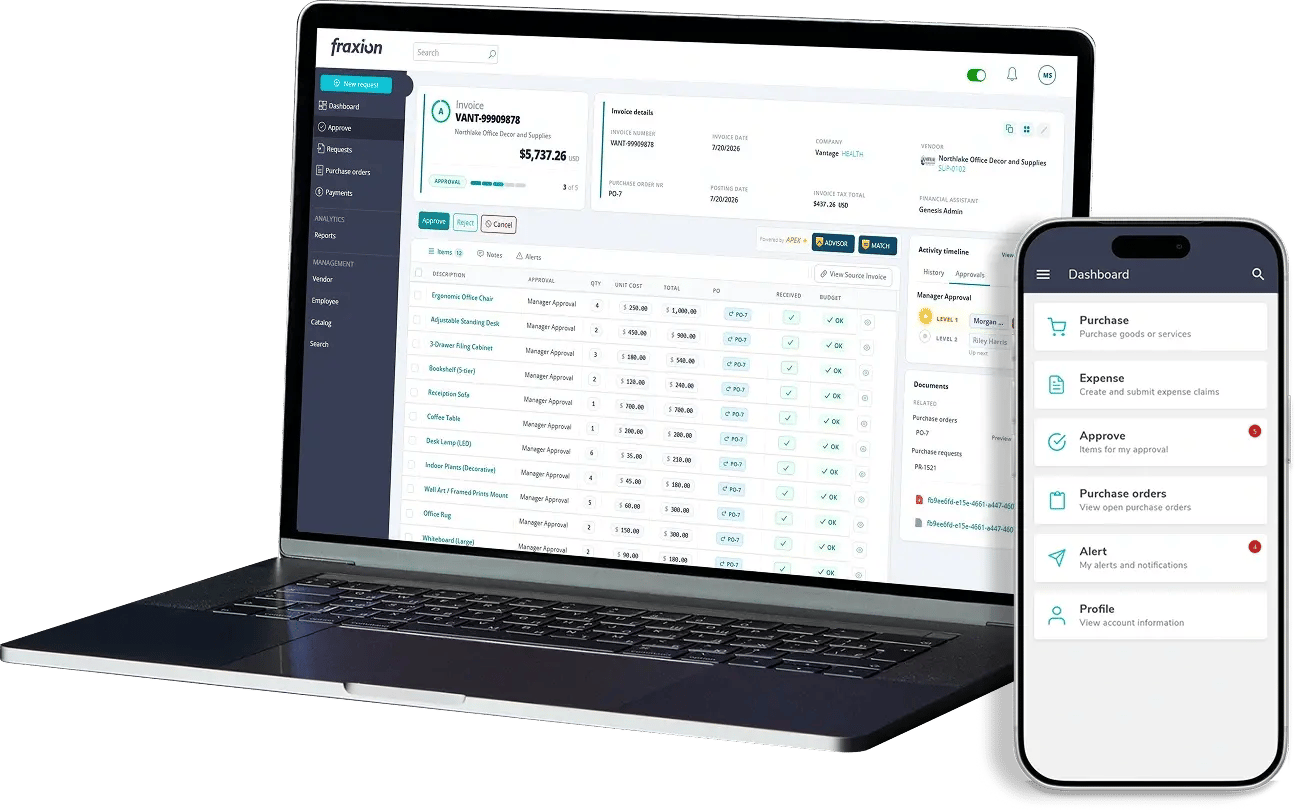
Fraxion’s AI-driven AP automation applies the four controls across invoice processing, from extraction through approval routing, vendor validation, and ERP posting, with a complete audit trail at every step.
We’d like to understand your current process and tailor a demo to your specific AP automation needs, showing how Fraxion can help streamline invoice processing and reduce the risk of duplicate invoices and overpayment.
See a demo: See how Fraxion catches overpayments before they happen.
Fraxion automates accounts payable as a standalone solution, with the flexibility to scale into full procure-to-pay as your business evolves, without reimplementation.
Frequently asked questions
What is the difference between duplicate invoice detection and three-way matching?
Duplicate invoice detection checks whether an invoice has already been submitted and paid (or is already in the AP automation system). It compares against prior invoices using fields like vendor, invoice number, amount, and date to identify repeats.
Three-way matching checks whether the invoice is valid against what was approved and received. It compares the invoice to a purchase order and the goods received record to confirm the order, delivery, and billing all align before invoice approval and payment.
What about overpayments that have already happened , can the system help with recovery?
The audit trail supports recovery, but it does not perform the recovery itself. When an overpayment is identified, it provides a clear record of what happened, including date and timestamps, approvals, and the process path so teams can support audits and engage with vendors to resolve the issue.
Going forward, the same controls reduce the number of new overpayments. Over time, this creates a cumulative benefit that improves AP efficiency and reduces cost leakage across multiple reporting periods.
Does AI-driven overpayment prevention work with our existing ERP?
Yes. ERP integration is what posts the validated data to the financial system of record. The AP control points run upstream of the ERP, so they catch overpayments before they post. Fraxion complements the ERP by syncing accurate data directly to the ERP without manual entry. The ERP remains the system of record while Fraxion provides the pre-spend control layer with a complete audit trail.
What kind of implementation effort does this require?
AP automation implementation is designed to be structured and efficient rather than heavy or disruptive.
Most of the effort sits upfront in understanding your current AP process, approval workflows, and vendor setup. This allows the system to be configured correctly from the start, including routing rules, approval structures, and integration points with your accounting or ERP system.
Data setup typically includes importing vendor information and aligning key fields needed for invoice processing and validation. Once this foundation is in place, the AI-driven controls and workflows are configured to match your environment.
If we expand to procure-to-pay later, how does this change the overpayment check points?
Adding requisitions, approvals, and purchase orders introduces matching as a fifth checkpoint that further enhances control. With matching in place, invoices can be checked against an approved purchase order and goods received record in the system before approval.
Are the AP control points configurable, or are they fully automatic?
AP automation runs the core controls automatically across every invoice, including duplicate detection, extraction validation, vendor matching, and approvals.
At the same time, organizations can configure how the controls behave, such as approval rules, exception alerts, and workflow routing. This ensures the system aligns with internal policies, risk tolerance, and process complexity.
Can AP automation catch fraudulent invoices?
AI-driven AP automation can help identify and flag potentially fraudulent invoices, but it does not rely on fraud detection alone.
Instead, it applies multiple control layers including duplicate detection, vendor validation, extraction confidence, and exception handling to flag anything that looks inconsistent with expected behavior or approved data.
This means fraudulent invoices are more likely to be flagged for review before payment.
However, the primary value of AP automation is broader than fraud detection alone. It is designed to prevent overpayments across all causes, including error, duplication, and misalignment with fraud being one of the lower-frequency but higher-risk scenarios the same controls help expose.
Manual AP processing creates errors, bottlenecks, and hidden costs. See the 7 mistakes slowing your invoice approvals and how accounts payable...
Learn how invoice approval works, why manual processes slow AP teams down, and what to look for when automating invoice approvals.
Manual AP bottlenecks delay month-end close by several days. Invoice automation prevents issues across intake, capture, matching, approvals, and...
Get our latest content, updates, and how-to resources delivered to your inbox.
Book a demo to see how Fraxion can assist your organization.
Book a demo