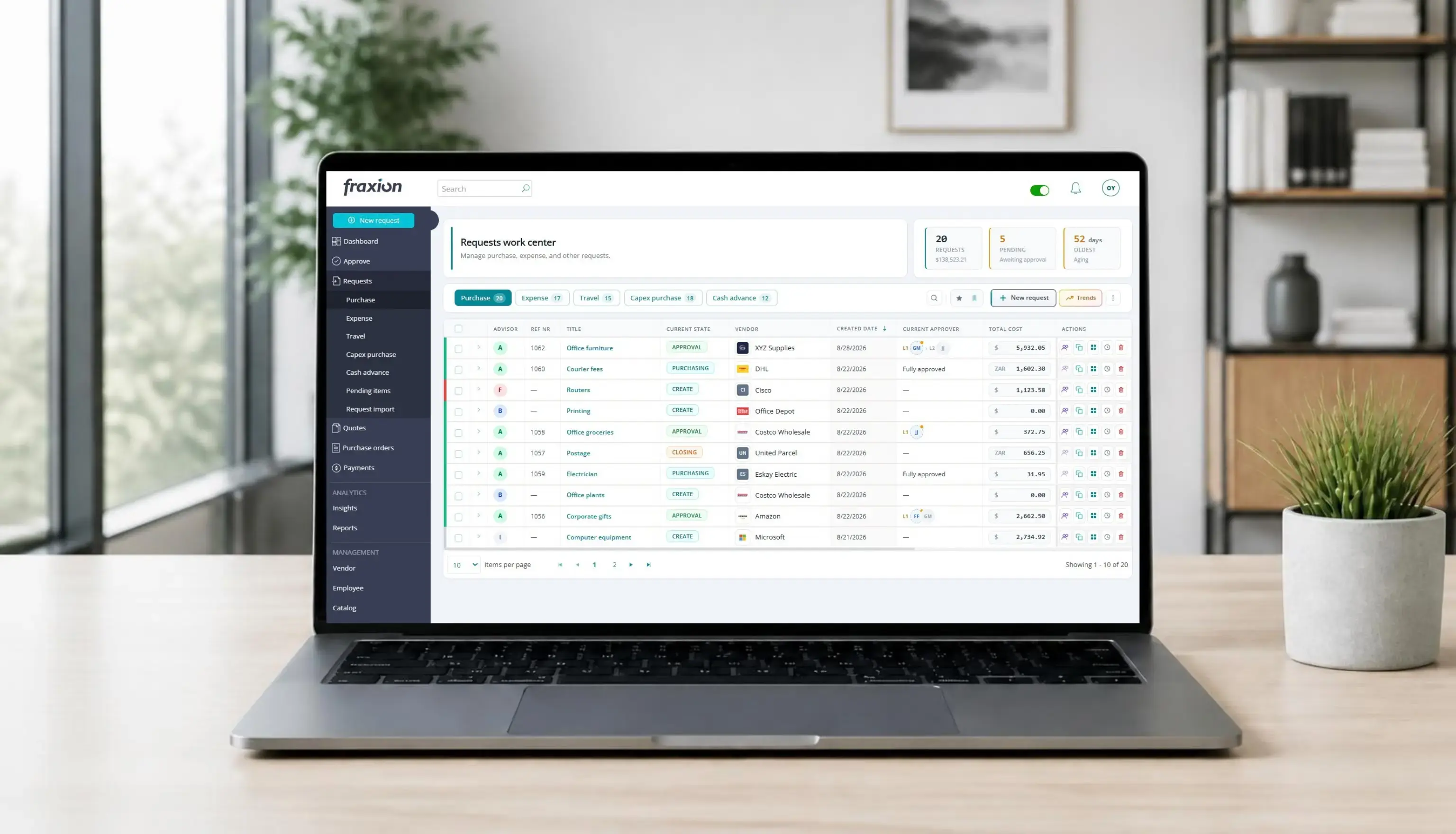
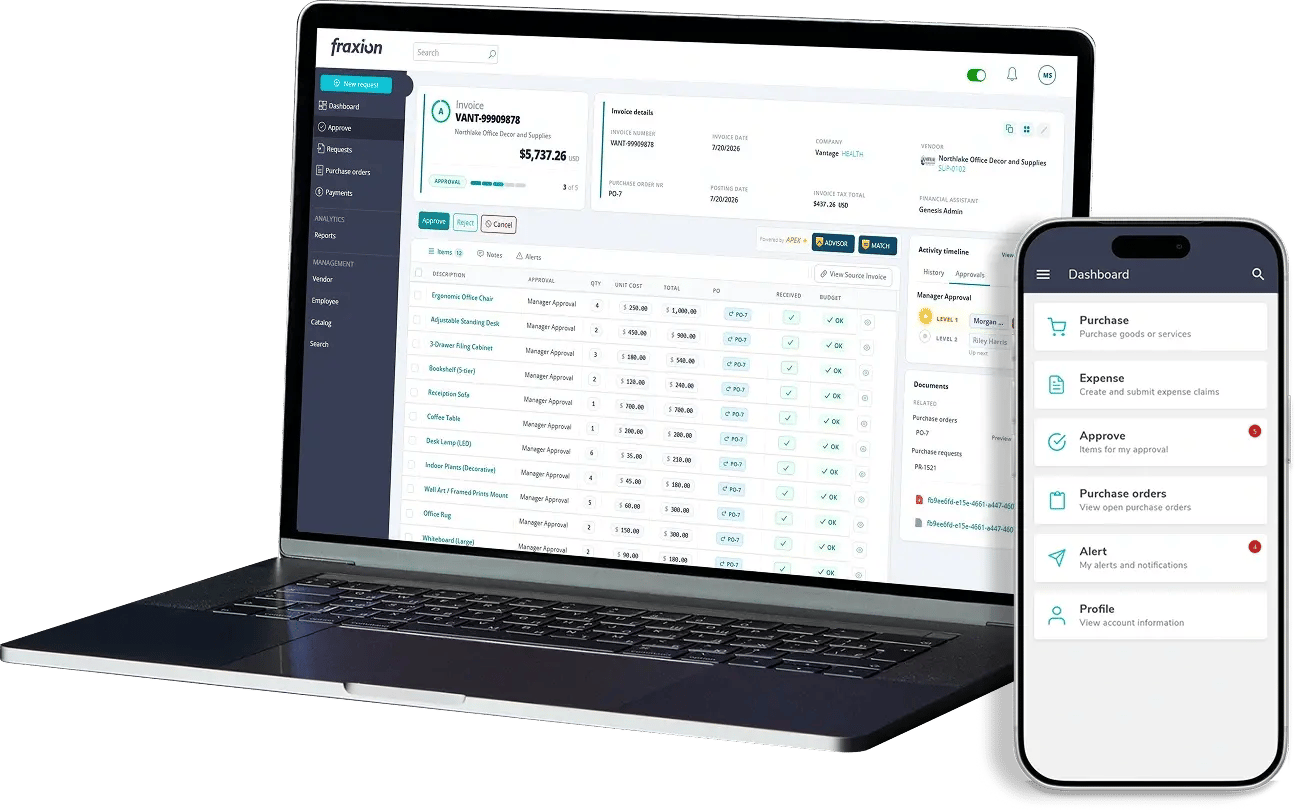
At Fraxion, we build with this goal in mind: making it easier for finance and procurement teams to stay in control of spend, without adding extra work to their day. Our latest release delivers on that goal in two ways, a further-refreshed user experience across the platform, and a smarter, AI-assisted way to catch purchasing and invoice risk before costly issues arise.
We're excited about this release. It brings together a more intuitive workspace with new AI capabilities that assess risk, flag exceptions, and provide recommendations, so your team’s focus is directed where it matters most. Across every one of these new capabilities, one principle holds: AI is there to guide, never to decide. It identifies what needs a closer look and why, but the judgment and the final call always stay with your team.
This means catching issues earlier, moving purchase requisitions and invoices through the process faster, and doing it all with more confidence, not less oversight.
A workspace that’s easier to navigate
Following the initial rollout of our new interface, this release extends the refreshed look and feel to more of the areas teams use every day, including invoices, vendors, catalog, requests and approvals. Every one of these work centers now offers a cleaner layout, faster filtering and search, one-click exports, and at-a-glance summary cards that highlight what needs attention.
For busy AP and finance teams, that means less time spent searching for the right invoice, vendor record or request, and more time spent on the decisions that actually move the business forward.
AI-assisted reviews of every purchase and invoice
One of the headline additions in this release is APEX ADVISOR, a new AI capability that automatically reviews a transaction and gives it a clear, easy-to-read grade.
On the purchasing side, every request is graded, with an at-a-glance score that flags missing information, vendor risk, and unusual or zero-value line items before the request ever reaches an approver. Requests also benefit from AI-suggested coding, which recommends the right budget allocation for a line item with a single click.
On the AP side, it reviews every invoice and credit note the moment it’s created, conducting an automated risk assessment across incomplete information, vendor risk, unusual amounts, aging, and mismatches with purchase orders, and translating the results into a clear, actionable grade. Paired with APEX EXTRACT, our AI-powered invoice extraction tool, teams can drag and drop a PDF invoice directly into the system and let AI do the data entry, while ADVISOR reviews the extraction and immediately flags anything that needs a closer look.
What are the benefits? By assessing transactions before approval, ADVISOR helps identify potential issues earlier, when they are easier to address, rather than after spend has been committed. Combined with automatic data extraction, it reduces manual data entry and the errors that can result from it. ADVISOR provides an initial review at each stage, helping your team focus their attention where it is needed most. Together, these capabilities reduce errors, accelerate processing, and lower the risk of exceptions going unnoticed across the spend lifecycle.
Automated matching and predictive coding: less manual work, more accuracy
Two further AI capabilities remove some of the most time-consuming manual work in accounts payable: matching invoices to purchasing records, and coding transactions correctly.
APEX MATCH automatically compares an invoice’s line items to the corresponding purchase order and suggests matches, each with a confidence score and the reasoning behind it. High-confidence matches can be accepted in bulk with a single action, while lower-confidence suggestions are set aside for a quick manual review. Invoice line items can also be created directly from a purchase order, or linked manually where needed, giving teams full control alongside the automation.
For organizations using three-way matching, the system goes a step further and checks invoices against what was actually received. At submission, and as part of the APEX ADVISOR grade, invoices are compared against goods-received data on the purchase order, and any invoice billed for more than was received, or for which nothing has yet been received, is flagged for review before it moves forward.
Coding receives the same treatment. On both purchase requests and invoices, the system recommends the correct cost allocation for each line item, rated by confidence, and a single auto code action applies the best-fit suggestions across an entire transaction. Teams that want the system to always apply the top suggestion can turn this on by default.
What are the benefits? Matching and coding are two of the highest-effort, most error-prone steps in the invoice lifecycle. Automated matching and coding suggestions mean fewer hours spent manually reconciling invoices against purchase orders, fewer miscoded transactions to correct after the fact, and faster, more accurate financial reporting, while your team’s judgment always applies.
Catalog purchasing, built right into your workflow
The Catalog experience has been redesigned and integrated into the request screen, so your team can shop, filter, and build a cart without ever leaving the request they're working on.
Finding what you need is now faster and smarter. Search by name, description, or SKU, and narrow results with multi-select vendor and category filters plus a new price range, so employees spend less time searching. New "recently added" and "popular" indicators surface what your organization already trusts, making it easier to buy with confidence. Shopping is more flexible too: temporary carts support quick, one-off purchases, while saved carts make repeat orders a one-click action. And for admins, managing catalogs, products, and carts are now fully built into Fraxion, no separate tools, no extra setup, just one place to keep everything current.
What are the benefits? A fast, easy way to find the right products, from the right vendors, at pre-negotiated pricing, with popularity and recency data helping employees make better, faster, more compliant purchasing decisions.
Vendor management: see every vendor relationship at a glance
Vendor records now include a built-in dashboard showing committed and actual spend, invoice counts, open purchase orders, and a 12-month view of purchase orders versus invoices, so you can see exactly where you stand with any vendor without a separate report. The Vendor work center itself is faster to navigate too, with category-based filtering, bulk actions, and an expandable panel showing approval trail and activity right from the grid, while creating or editing a vendor now captures banking details and payment terms in one place.
What are the benefits? Your team gets a clearer, faster picture of vendor spend and risk, less time spent searching vendor history or approval status, and more complete vendor records from day one, making it easier to manage vendor relationships with confidence and stay audit-ready without extra work.
Enhanced work centers, built for faster, easier work
This release also brings a refreshed, more consistent experience across the Requests and Approve work centers, with the same expandable line-item details, powerful filtering, saved filters, bulk actions, and inline budget visibility your team is already used to elsewhere in Fraxion. Approvers can now bulk-approve or reject transactions, see budget impact at a glance, and act on individual line items without ever opening the full document.
For organizations that need extra oversight, workflows can now include a custom review step, enabling a separate group to assess and sign off on a request, invoice, credit note, or vendor before it moves forward, without adding to your existing approval chain. Teams using AP automation also get a clearer view of what's been processed, with new filtering and a column showing exactly which document created each transaction.
Additional enhancements to AP transaction logs and search functionality make it easier to find information and maintain workflow continuity. Teams can trace an invoice back to its source document in seconds and return to their search results without losing their place or having to repeat a search after reviewing a document.
What are the benefits? Together, these updates mean less time clicking between screens, faster approvals, and more confidence that the right people are reviewing the right transactions, with the flexibility to add oversight exactly where your organization needs it, and none of the friction where it doesn't.
This release brings your entire procure-to-pay process into sharper focus. AI-assisted risk grading and matching catch issues earlier, a redesigned workspace and integrated Catalog make everyday purchasing and processing faster, and expanded oversight tools give your organization control exactly where it's needed. It all adds up to a smarter, more connected way to manage spend, end to end, with your team’s judgment always at the center.
If you’d like to see the new features and enhancements in action, book a demo to see how Fraxion can help your team identify risk earlier, work more efficiently, and make informed decisions across purchasing and AP.