AP automation
How AI-driven AP automation prevents overpayments
AI-driven AP automation prevents overpayments through duplicate detection, extraction accuracy, vendor validation, and approval workflows.
.webp)
Quick answer: Manual accounts payable processing is error-prone because it depends on people to rekey data, chase approvals, and manage exceptions with no consistent system of record. Every handoff (data entry, matching, routing, filing) introduces a point where mistakes happen and invoices stall. Accounts payable automation removes these manual touchpoints and replaces them with a single, auditable workflow.
Mid-market finance teams process hundreds or thousands of invoices a month. When that volume runs through spreadsheets, email chains, and paper trails, small errors compound fast. The result: late payments, missed discounts, frustrated vendors, and finance leaders stuck chasing approvals instead of the financial planning and analysis that actually moves the business forward.
Here are the seven manual AP mistakes causing the most delay, and what to do about each one.
In this article:
Rekeying invoice data from PDFs, emails, or paper into an ERP is slow and unreliable. A transposed digit on a PO number or a missing cost center code sends the invoice back for correction, adding days to the cycle.
Why it happens: Finance teams still rely on manual AP processing because it's familiar, not because it's accurate. Every rekeyed field is a chance for human error.
The fix: AI-driven data extraction pulls invoice details directly from the source document: vendor, amount, invoice number, PO reference, line items and validates them in real time, before the invoice ever reaches an approver. Fields that don't match expected formats or known vendor records are flagged automatically, so an approver only sees an invoice once the underlying data has already been checked, not before.
Without a defined workflow, invoices get routed by habit, the team member whose desk it lands on, or the staff member the AP clerk remembers to email. Very often, approvers are on leave, out of office, or simply unaware an invoice is waiting.
Why it happens: Manual routing relies on institutional knowledge instead of a documented, enforceable process, with no system tying approvals to a formal delegation of authority matrix.
The fix: A rules-based workflow assigns invoices automatically based on amount, department, or vendor, with escalation triggers if an approver doesn't act within a set time.
When invoices arrive without a linked PO or with a PO that doesn't match the delivered goods or services, someone has to manually track down the discrepancy. That research can take days, especially across departments.
Why it happens: Manual three-way matching (invoice, PO, receipt) depends on someone physically pulling three documents, often from different systems, and comparing them line by line.
The fix: Matching checks invoices against PO and receipt data wherever it lives, flagging genuine mismatches instantly and routing only real exceptions for human review, so straightforward invoices move through untouched. When procurement runs in the same system as AP, that matching happens in real time with no data to reconcile across platforms, so fewer exceptions reach a human at all.
Duplicate payments are one of the most common and most expensive finance errors in manual AP processing. They happen when the same invoice is submitted twice, by different people, or through different channels (email and mail, for example), with no system flagging the repeat.
Why it happens: Without a centralized invoice repository, there's no single source of truth to check against before a payment goes out. A manual process has no built-in check for whether an invoice has already been entered and no automatic flag when the same invoice is keyed in a second time, so the duplicate looks exactly like a new, valid transaction.
The fix: A centralized system checks every new invoice against what's already been processed, matching on invoice number, vendor, amount, and date, catching duplicates before they're approved, not after they're paid. Suspected duplicates are flagged, so the exception surfaces before a duplicate can be created or approved.
Paper invoices get misplaced. Emailed invoices get buried in an inbox or sent to the wrong person. Every lost invoice means a vendor follow-up call, a rebuilt approval chain, and a payment that's now overdue.
Why it happens: With manual AP processing, there's no visibility into invoice status, so teams don't know where an invoice is until someone follows up.
The fix: Digitizing intake gives every invoice a timestamped, trackable record from the moment it arrives, so nothing sits in an inbox unseen. A dedicated mailbox that vendors send invoices to, rather than a personal inbox or a rotating point of contact, feeds directly into that system, so every invoice is captured the same way regardless of who is out of office.
Finance teams are frequently asked where an invoice is, and manual processes rarely provide a quick answer. Checking status means emailing the approver, searching a shared drive or spreadsheet, or asking AP to look it up.
Why it happens: Invoice status resides in individual inboxes and institutional knowledge rather than a centralized system accessible to the entire team.
The fix: A live dashboard or digital trail shows exactly where every invoice sits in the approval chain, giving finance real-time answers without a single email. Every detail lives in one system: current status, who it is assigned to now, who's already approved it, when it arrived, and what happened at each step along the way. Nothing has to be reconstructed from memory or pieced together across inboxes; finance can look it up directly instead of asking someone to investigate.
When approvals take place through email or verbal communication, it can be difficult, and in some cases impossible to establish who approved what and when. That creates real exposure during an audit or compliance review.
Why it happens: Manual processes don't automatically capture an approval history; someone has to remember to document it. That documentation often depends on individual habits, one approver might forward a confirmation email, another might not, so the record that exists is inconsistent and scattered across inboxes, chat threads, and paper files rather than recorded in one place.
The fix: Every automated approval is logged automatically, creating a complete, searchable audit trail with no extra effort from the team. Who approved an invoice, when, and under what authority is captured the moment it happens, so the record is already complete and consistent by the time an auditor or compliance reviewer asks for it.
Each of these mistakes looks small in isolation. Together, they slow down invoice processing, strain vendor relationships, and distract finance teams from higher-value work. The risks compound in ways that show up directly on the bottom line: unverified vendor records leave the door open to fraud, missed matching leads to overpayments, and delays mean early payment discounts get missed while late fees and penalties add up instead. Improving AP workflow efficiency isn't about working harder inside the same manual process, it's about removing the manual steps and errors that cause the delays in the first place.
Accounts payable automation addresses all seven issues at once: consistent data extraction, enforced routing, matching efficiency, duplicate detection, full visibility, and a built-in audit trail. For mid-market finance teams managing growing invoice volumes, that shift is what turns AP from a bottleneck and a source of financial risk into a reliable part of financial operations.
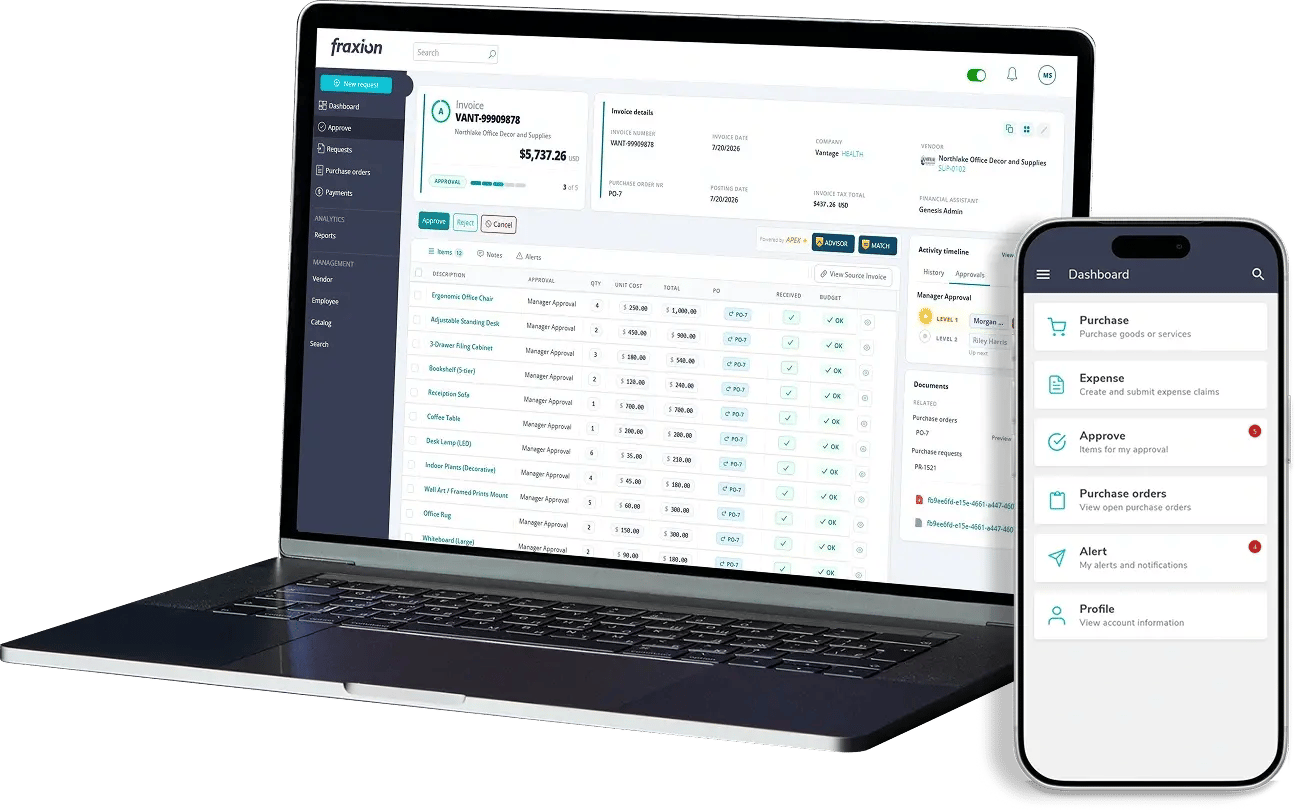
Fraxion resolves these seven mistakes as a standalone AP automation solution, and scales into a full procure-to-pay (P2P) system as your needs grow, with no reimplementation required when you're ready to add procurement workflows.
For lean finance teams, that translates into hours no longer spent rekeying data, chasing approvers, or untangling exceptions, hours that don't have to be replaced by adding headcount as invoice volume grows. Faster, informed approvals also shorten the close cycle, since fewer invoices sit unresolved in exception queues when the books need to close. And with fewer duplicate payments, missed discounts, and manual errors in invoice processing, the cost per invoice processed comes down, a direct, measurable return for finance leaders under pressure to do more with the same team. The net effect is better AP workflow efficiency at every stage, from intake through payment, without adding people to get there.
Whether you start with AP alone or plan to expand across the full P2P suite, Fraxion is built to grow with you rather than force a rebuild later.
See how Fraxion can cut approval delays and lower your cost per invoice. Talk to our team about your AP needs.
Manual AP processing depends on people manually entering data, routing approvals, and matching documents, with no system enforcing consistency or catching mistakes automatically. Each handoff is a chance for finance errors, and there's no centralized record to catch problems like duplicate payments before they happen.
It replaces manual data entry, routing, and matching with a consistent digital workflow. Invoices are extracted, reviewed, and routed automatically, with exceptions flagged only when something genuinely needs human review, so approvals move faster and with fewer errors.
No. Mid-market finance teams often see the fastest returns, since they're processing enough invoice volume to feel the cost of manual errors but haven't yet built the large back-office teams that can absorb them.
Email approvals still rely on individual inboxes, manual follow-up, and no shared audit trail, which are the same weaknesses as paper-based AP. Accounts payable automation replaces email chains with a system-enforced workflow where routing and approval history happen automatically and are visible to the finance team.
Yes. Accounts payable automation is designed to work alongside your existing ERP, not replace it, pulling vendor, PO, and GL data in and pushing approved invoices back for payment, so finance teams keep their system of record while removing the manual work around it.
AI-driven or AI-assisted AP means the software handles repetitive, well-defined tasks, extracting and reviewing invoice data, suggesting a match, flagging a likely duplicate, predicting the right GL coding based on past invoices, while a person still reviews and approves the outcome. It's built to support the finance team's judgment, not replace it, so exceptions and edge cases still get a human decision.
Because every invoice moves through one system, accounts payable automation gives finance leaders reporting and insights that manual processes can't produce reliably: approval cycle times by team or approver, invoice volume and spend by vendor or department, exception rates, and where invoices are getting stuck in the workflow. That visibility supports faster month-end close reporting and gives finance leaders a clear, data-backed view of AP performance instead of relying on anecdotal status checks. Systems like Fraxion offer advanced AP insights and reporting capabilities.
AI-driven AP automation prevents overpayments through duplicate detection, extraction accuracy, vendor validation, and approval workflows.
Manual AP bottlenecks delay month-end close by several days. Invoice automation prevents issues across intake, capture, matching, approvals, and...
See how Monson Fruit Company eliminated a five-month invoice backlog and cut invoice processing from roughly a month and a half to three to four...
Get our latest content, updates, and how-to resources delivered to your inbox.
Book a demo to see how Fraxion can assist your organization.
Book a demo